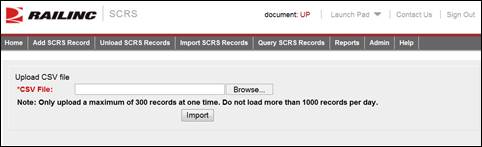
SCRS allows you to import CSV saved versions of SCRS records into the system.
Note: The maximum number of records that can be imported is 1,000 records per day. Records should be imported in chunks of 300 or less. Records are uploaded three times per day between outbound jobs.
Here is how to import SCRS Records.
1. From the application menu, select Import SCRS Records. The Upload CSV file page is displayed.
Exhibit 16. Upload CSV File
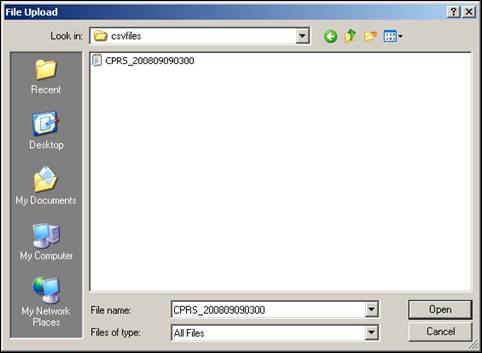
2. Select Browse. A dialog box is displayed with options to browse for the file location. Find the file that you want to upload, select it, and select OK. The selected filename appears in the CSV File field of the Upload CSV page.
Exhibit 17. File Upload Dialog Box
3. Select Import. A message is displayed informing you of the results of the upload attempt.