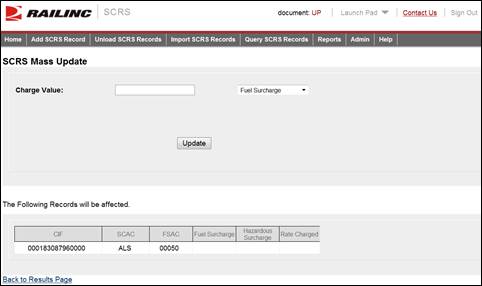
Here is how to perform a mass update to multiple SCRS Charge Details.
1. From the SCRS Query Results page (see Exhibit 19. SCRS Query Results Page), select one or more listed records and select Mass Update. The SCRS Mass Update page is displayed.
Exhibit 26. SCRS Mass Update
2. Enter a Charge Value. From the available drop-down, select the qualifier associated with the entered charge (Fuel Surcharge, Hazardous Surcharge, or Charge Amount).
3. Select Update to have the entered charge applied to all the listed records.