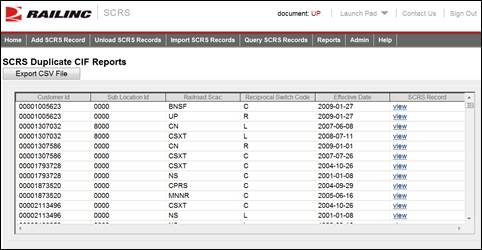
Here is how to view duplicate CIF Reports.
1. From the application menu, select Reports > Duplicate CIF Report. The SCRS Duplicate CIF Reports page is displayed.
Exhibit 27. SCRS Duplicate CIF Reports Page
2. Select Export CSV File if you want to export the displayed report in a .csv format. A dialogue box is displayed asking you to save the report.
3. Select a listed View link associated with a displayed duplicate CIF Report to view full details of that SCRS record. The SCRS Charge Details page is displayed (see Managing SCRS Details).